Resources
Here’s what’s happening in the world of business and IT skills training.
Check out our blog and news page for the latest news from the Future Savvy team!

Most read
- How to Remove Time from Date in Excel
- How to Calculate Variance in Excel (VAR.S vs VAR.P)
- How to Calculate Age in Excel: DATEDIF Formula and Examples
- Step-by-Step Guide: Automating Teams Meeting Summaries with Copilot
- How to Password Protect Excel & Hide a Single Column
- Troubleshooting Guide: How to Fix Common Issues Preventing Copilot Access in M365 Apps
 L&D Insights
UK Training Demand Report 2026: What Organisations Actually Buy
What 1,451 UK organisations actually bought training in from 2019 to 2026, what they paid, who placed the order and how big their employer was, with the national skills-gap figures beside our own. Excel is 44% of orders, SQL has fallen from a third to under 4%, Power Automate is one order in ten, and two in five buyers sit in L&D or HR. Updated each October; free to cite.
 Tips & Tricks
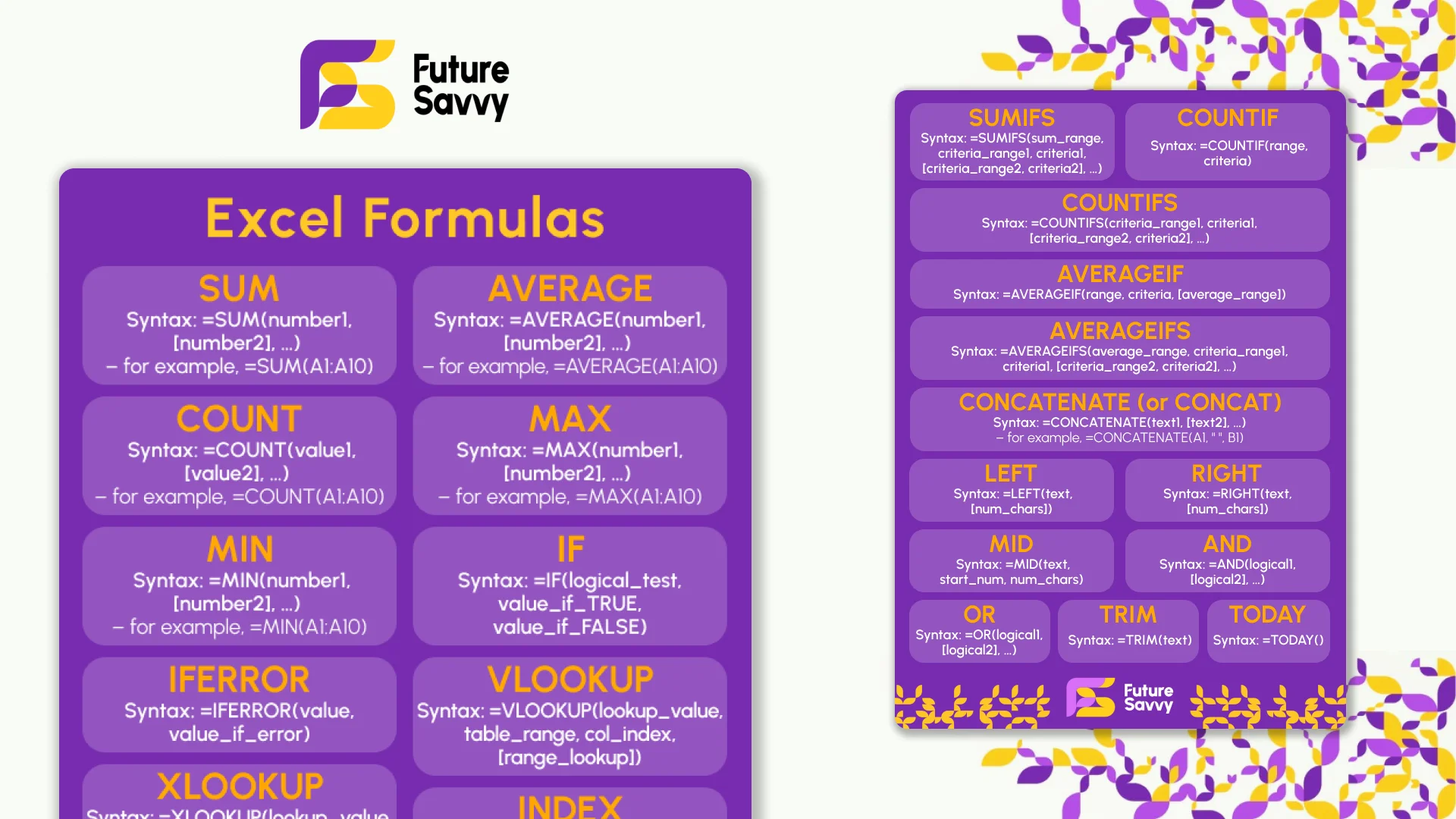
Excel Formulas Cheat Sheet: 34 Formulas With Examples
Thirty-four Excel formulas with the syntax, a worked example and the mistake people make with each: SUM to SUBTOTAL, IF and IFS, XLOOKUP and INDEX-MATCH, SUMIFS and COUNTIFS, the text and date functions, and the dynamic array functions in Excel 365. Read it on the page, copy any formula, or download the two-page printable PDF. No sign-up.
 Tips & Tricks
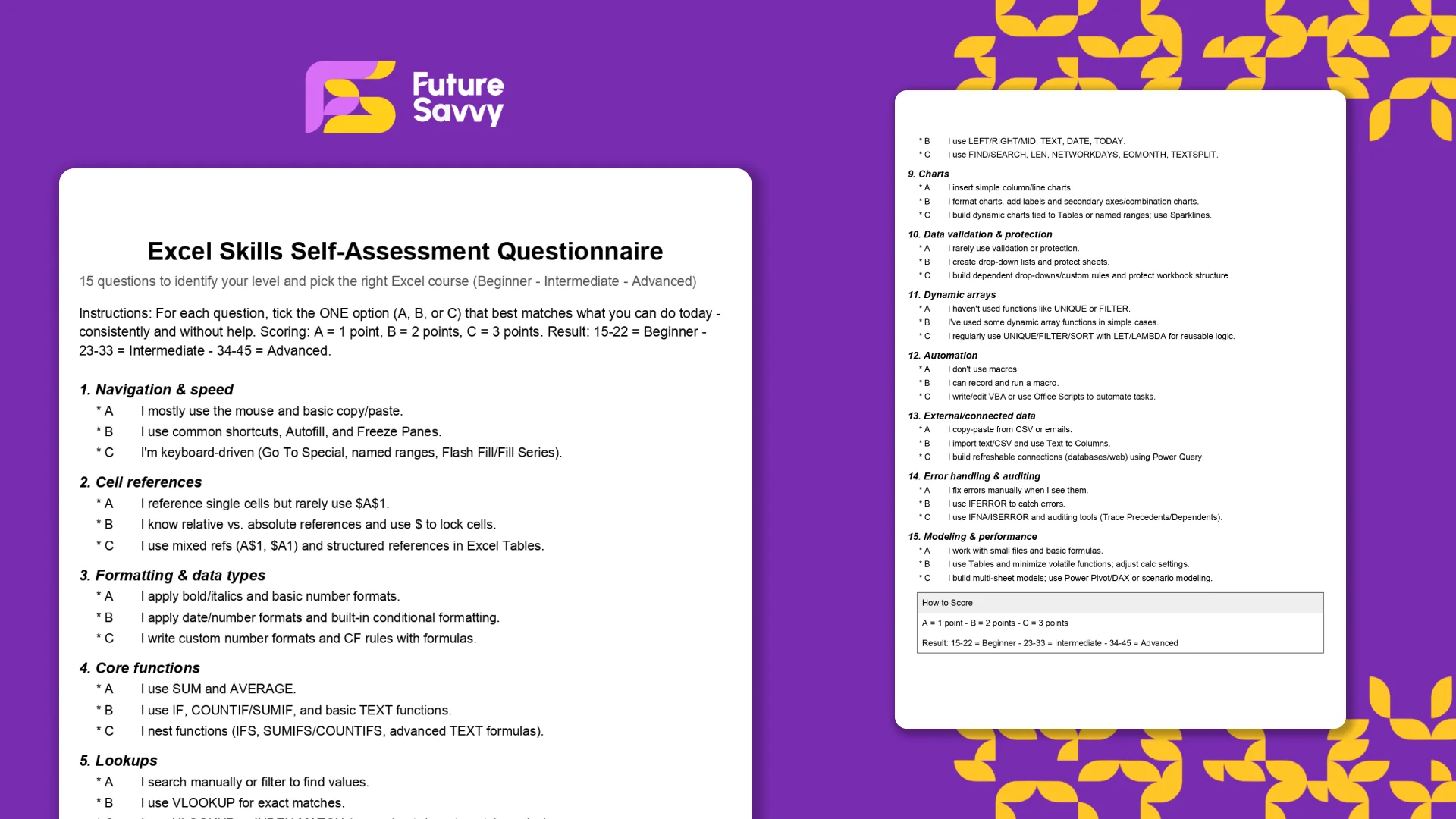
Excel Skills Self-Assessment Questionnaire
This free, printable Excel Skills Self-Assessment helps you quickly gauge your level and pick the right next step in your learning path. It contains 15 multiple-choice questions spanning navigation, formulas, lookups, tables, PivotTables, charts, dynamic arrays, Power Query, and more. You’ll score yourself and interpret the result to see whether you’re Beginner, Intermediate, or Advanced - then follow tailored course recommendations based on your score.
 Tips & Tricks
How to Calculate Age in Excel: DATEDIF Formula and Examples
Use a copy-and-paste DATEDIF formula to calculate age from a date of birth in Excel. This guide also covers fixed reporting dates, YEARFRAC and the input checks that prevent bad results.
 Tips & Tricks
How to Calculate Variance in Excel (VAR.S vs VAR.P)
In this guide, we explain variance as a measure of how widely data points deviate from the mean and shows why understanding this spread is useful for deeper insight and risk assessment. It walks readers through calculating variance in Excel, distinguishing between the VAR.S function for a sample and VAR.P for an entire population, then demonstrates each with a car-sales case study.
 L&D Insights
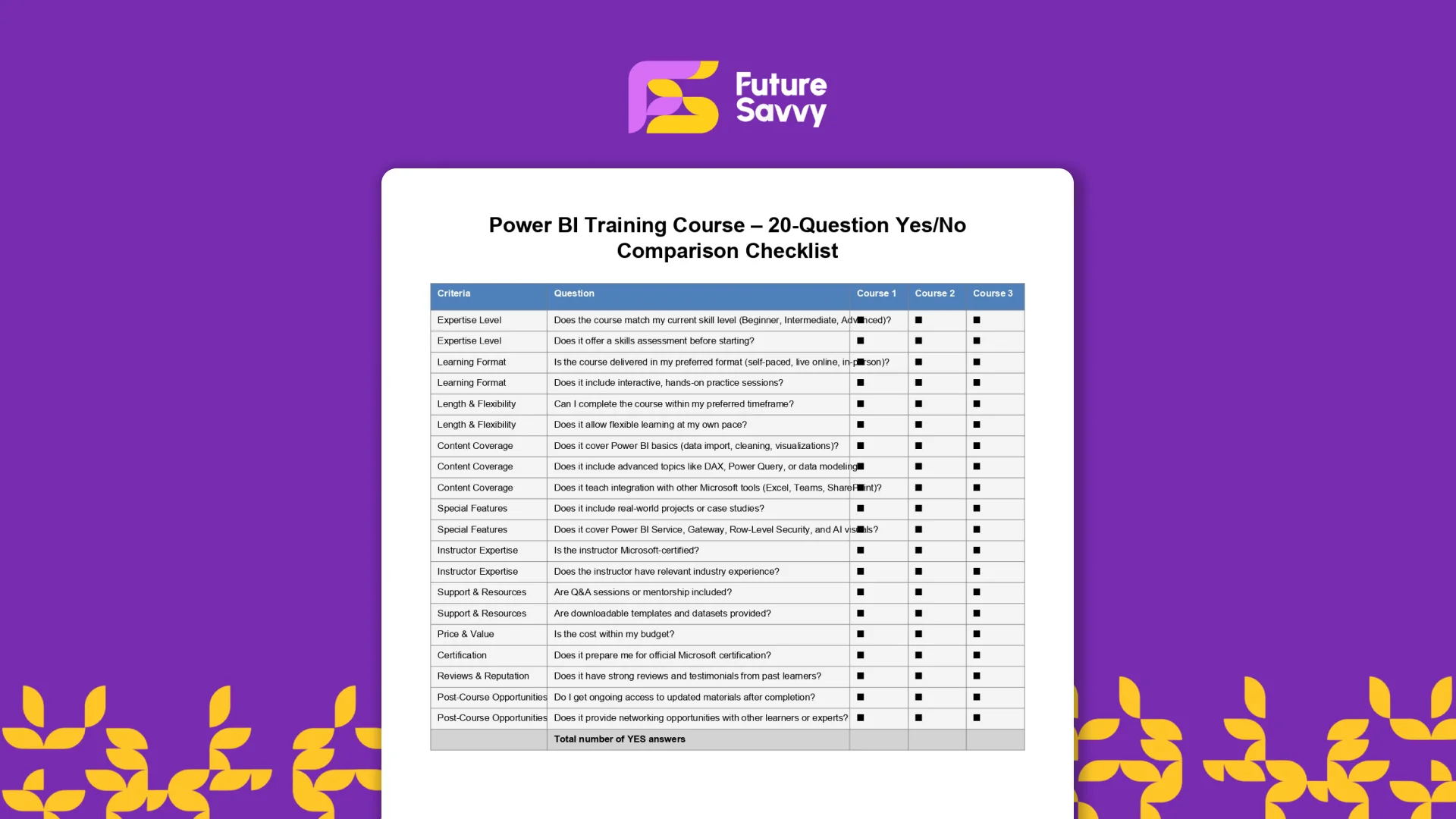
Power BI Training Course – 20-Question Comparison Checklist
The Power BI Training Course – 20 Questions Checklist is a practical, printable tool to compare Power BI courses across providers objectively. Use it to score curriculum quality, delivery format, hands-on practice, certification prep, and after-course support so you can choose with confidence.
 Tips & Tricks
How to Use Excel Lookup with Multiple Criteria
This blog explains how Excel’s LOOKUP functions—particularly XLOOKUP and VLOOKUP—can retrieve data based on multiple criteria. It walks through a step-by-step example of finding an employee’s sales in a specific region, showing both an XLOOKUP formula and a VLOOKUP alternative that uses a helper column.
 Tips & Tricks
Microsoft 365 Copilot deployment: a practical UK team-adoption plan
Microsoft 365 Copilot can super-charge Word, Excel, Outlook, PowerPoint, and Teams, but IT managers must align licensing, data governance, and clear business goals before launch. In this article, we discuss how engaging stakeholders early, piloting with a small cross-functional group, and phasing the rollout lets teams refine guidance and measure real productivity gains. Role-specific, hands-on training - prompt-engineering tips, quick-start resources, and “Copilot champions” - converts into confident daily use while resolving emerging user challenges.
 Tips & Tricks
Microsoft Copilot ROI for UK businesses: how to build the case
The blog explains how to evaluate Microsoft 365 Copilot (and Copilot Pro) using a clear ROI formula and data from Forrester’s Oct-2024 TEI study. It outlines three benefit areas - go-to-market (potential revenue lift up to 6%), operational efficiency (cost reduction up to 0.85%), and people/culture (attrition down up to 20% and onboarding faster up to 25%) - plus hard-to-quantify gains like compliance and security. A five-step method and example calculation (~205% three-year ROI) show how to model low/mid/high scenarios and decide whether to adopt based on workflow fit, readiness, and budget.
Insights for modern teams
Stay ahead with our latest learning trends, tools, and success stories. Enter your email address below to receive updates from us.